Before You Go Live: A Website Launch Checklist for Mohali Firms
A new website can look ready and still have broken forms, a wrong phone number or pages Google cannot see. This checklist helps you catch these problems before customers do.
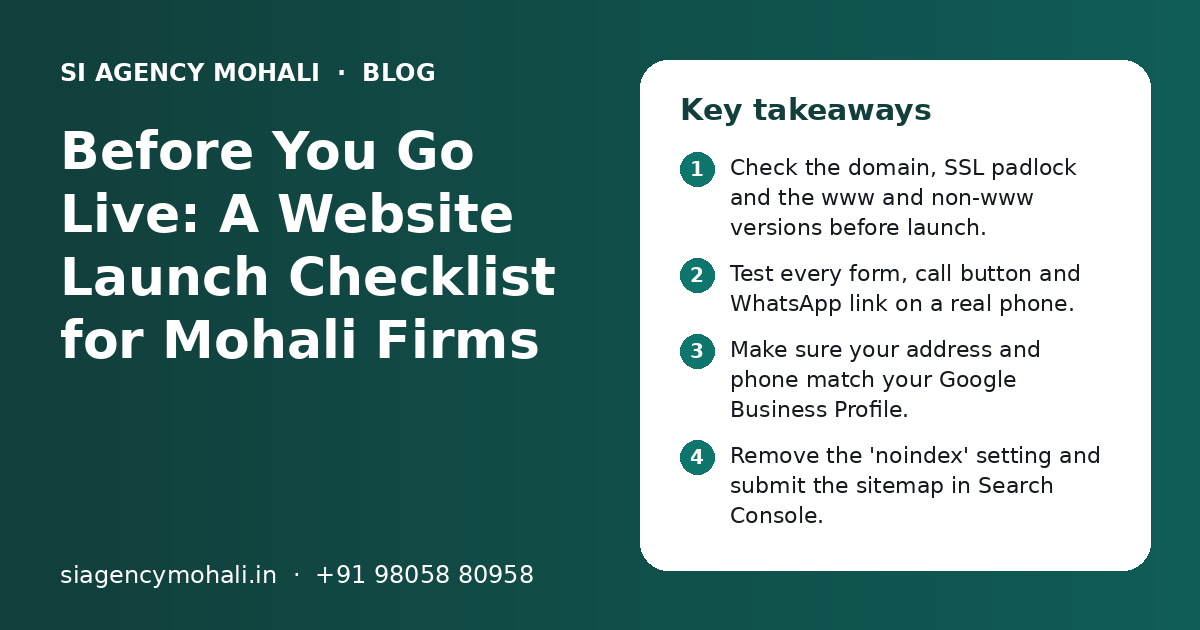
What should a Mohali business check before launching a new website?
A website launch checklist for Mohali businesses covers six areas: domain and SSL, content and contact details, forms and WhatsApp buttons, mobile speed, basic SEO setup, and backups with admin access. Test each item on a real phone before going live. Fixing these early saves lost enquiries and avoids weeks of poor Google visibility.
Key takeaways
- Check the domain, SSL padlock and the www and non-www versions before launch.
- Test every form, call button and WhatsApp link on a real phone.
- Make sure your address and phone match your Google Business Profile.
- Remove the 'noindex' setting and submit the sitemap in Search Console.
- Get full admin, hosting and domain access in your own name.
- Set up backups and a simple plan for updates from day one.
Why do you need a website launch checklist?
A website launch checklist makes sure nothing important is missed on the day your site goes live. Small mistakes at launch can quietly cost you enquiries for weeks.
Many Mohali business owners see the new design, like it and say "go live". But the design is only one part. A form may send emails to an old address. A call button may have one wrong digit. A setting from the test stage may tell Google not to show the site at all.
These problems are quick to fix but hard to notice later, because nobody tells you. People simply call someone else.
This post gives you one simple list. You can use it if your site was built by us, by another agency or by a freelancer. If you are still planning the site, our website design in Mohali page explains how we plan pages before any design starts.
Which domain, hosting and SSL checks come first?
First confirm that the domain, hosting and SSL certificate are set up correctly and are in your name. Everything else depends on these three.
- The domain is registered in your business name or your own name, not the developer's.
- You have the login for the domain account and know the renewal date.
- The site opens with https and shows the padlock in Chrome on desktop and mobile.
- Both yoursite.in and www.yoursite.in open the same site. One should redirect to the other.
- The http version redirects to the https version.
- Hosting login details are shared with you and saved in a safe place.
- Business email (like info@yoursite.in) sends and receives mail without landing in spam.
Hosting choice affects speed and safety. If you are not sure whether your plan is right, our web development team in Mohali can review it on a free call.
What content and contact details should you check?
Read every page once on a phone and check that names, numbers, addresses and service details are correct and current. Wrong contact details are the most common launch mistake.
Contact details
- Phone number is correct on every page, including the header and footer.
- The address matches your Google Business Profile exactly, for example the same sector and phase format.
- Opening hours are correct, including Sunday and holiday timings.
- The map on the contact page points to your real location.
- Your GST number is shown wherever you want customers to see it, such as the footer or contact page.
Page content
- No dummy placeholder text like 'Your heading here' or 'Sample text' is left anywhere.
- All service names and prices (if you show prices) are current.
- Spelling of your brand name, staff names and area names is correct.
- Every image belongs to you or is properly licensed. No random images from Google.
- Privacy policy and terms pages exist and mention how you use form data.
If you serve nearby areas such as Kharar, Zirakpur or Chandigarh, mention them in plain words. Only list areas you truly serve. Do not add a fake address for any place where you have no office.
How do you test forms, calls and WhatsApp buttons?
Test every way a customer can contact you by doing it yourself on a real phone. Send a real form entry, tap the call button and open the WhatsApp link.
- 1
Fill every form
Submit each contact, quote and booking form with your own details. Check that the email reaches the right inbox within a few minutes.
- 2
Check the thank-you message
After submitting, the visitor should see a clear message or thank-you page that says what happens next.
- 3
Tap the call button
On a phone, the call button should open the dialler with the full number, including the correct number of digits.
- 4
Open the WhatsApp link
The WhatsApp button should open a chat with your business number and, ideally, a short pre-filled message such as 'Hi, I found you on your website'.
- 5
Check the spam folder
If a form email does not arrive, check spam. If it lands there, the email sending setup needs fixing before launch.
WhatsApp is often the main enquiry channel for local businesses in Mohali. If you plan to send follow-ups or broadcasts later, our WhatsApp marketing page explains how to do that the right way.
What should you check on mobile and for speed?
Most local visitors will open your site on a phone, often on mobile data. The site must be easy to read, easy to tap and quick to load.
| What to check | How to check it | What good looks like |
|---|---|---|
| Text size | Open each page on a phone | Readable without zooming |
| Buttons | Tap every button with your thumb | Easy to tap, not too close to other links |
| Menu | Open and close the mobile menu | All pages reachable in two taps |
| Images | Scroll through image-heavy pages | Images load quickly and are not blurred or stretched |
| Speed | Run PageSpeed Insights on main pages | No big warnings for image size or blocking scripts |
| Pop-ups | Visit as a new visitor | No pop-up that covers the whole screen on mobile |
Large photos are the most common cause of a slow site. Ask your developer to compress images and use modern formats like WebP.
If the site is for ads, a single focused page often works better than your home page. See our landing page design service for how that works.
Which SEO settings must be ready on launch day?
On launch day, make sure Google is allowed to see the site, each page has its own title and description, and the sitemap is submitted in Google Search Console.
- The 'discourage search engines' or 'noindex' setting used during testing is turned off.
- The robots.txt file does not block the whole site.
- Each page has a unique title and meta description that says what the page is about.
- Each page has one clear H1 heading.
- Images have short, meaningful alt text.
- An XML sitemap exists and is submitted in Google Search Console.
- Old page addresses from your previous site redirect to the matching new pages (301 redirects).
- A simple 404 page helps people find their way if a link is broken.
- LocalBusiness schema shows your name, address, phone and hours.
Do not forget old URLs
If you are replacing an old website, list every old page address before launch. Pages that already rank on Google can lose their place if their addresses change without redirects. This is one of the most common problems after a website redesign.
Launch-day SEO is only the base. Ranking for searches in Mohali takes steady work after launch. Our SEO company in Mohali page explains what that ongoing work includes. Google's own guides are at Google Search Central.
How do you connect the website to Google and tracking tools?
Connect the site to Google Search Console, Google Analytics and your Google Business Profile on launch day, so you can see visits and enquiries from the first week.
| Tool | Why you need it | What to set up |
|---|---|---|
| Google Search Console | Shows if Google can find and index your pages | Verify the domain and submit the sitemap |
| Google Analytics (GA4) | Shows visitors, sources and pages | Add the tag and mark form submits and calls as key events |
| Google Business Profile | Shows your business on Maps | Add the website link and check the address matches |
| Meta Pixel | Needed only if you run Facebook or Instagram ads | Add the pixel and test a lead event |
| Google Ads tag | Needed only if you run Google Ads | Add conversion tracking for forms and calls |
Your Google Business Profile and website should support each other. The name, address and phone should match on both, and the profile should link to the right page.
Ask your developer to give you access to these tools in your own Google account. If they only share a report, you lose the history when you change agencies.
What handover and backup checks protect you after launch?
Before you sign off, make sure you own every login, a recent backup exists, and someone is responsible for updates and fixes.
- You have an admin login for the website, in your own name and email.
- You have logins for hosting, domain, Search Console and Analytics.
- A full backup of files and database is stored outside the hosting server.
- Automatic backups run at least weekly, and daily for busy or ecommerce sites.
- Plugins, themes and the core software are updated to current versions.
- Unused plugins and test accounts are deleted.
- You have a short guide or video on how to edit text and images yourself.
- You know who to call if the site goes down, and in what time they respond.
A website is not finished at launch. Software needs updates, forms need testing and content needs changes. Our website maintenance in Mohali plans cover this. Our parent team also offers 24x7 emergency support for urgent issues such as a site going down.
What are the most common website launch mistakes?
The most common mistakes are leaving Google blocked, broken forms, wrong phone numbers and not owning your own domain. Each one is easy to avoid with a short test.
Do this
- Test the live site yourself on a phone the same day
- Keep the old site's page list and set redirects
- Launch on a weekday morning, so fixes can happen the same day
- Ask a friend to find your phone number and send a form
- Write down every login in one safe place
Avoid this
- Launching late on a Friday night with nobody to fix problems
- Leaving the 'noindex' setting on after testing
- Using stock photos that do not match your real shop or team
- Copying text from a competitor's website
- Letting the developer keep the only admin access
If you want a second opinion, you can share your new or test site link with us. We will go through this checklist with you on a free call from our Mohali office, Monday to Friday, 9:30 to 6:30 IST. You can contact us here.
Related Pages
Website Design
Clean, mobile-friendly website design that builds trust with local customers.
Website Maintenance
Updates, backups, security, speed checks and small changes for your website every month.
SEO
Rank your service pages on Google for searches across Mohali and the Tricity.
Landing Page Design
Focused landing pages for ads, launches and offers that turn clicks into enquiries.
Frequently Asked Questions
What should I check before launching my business website?
Check six areas: domain and SSL, contact details and content, forms and WhatsApp buttons, mobile speed, SEO settings and backups. Test everything on a real phone. Make sure the noindex setting is off, the sitemap is submitted in Google Search Console and you own every login. Most launch problems take minutes to fix if you find them before customers do.
How long does it take to test a website before launch?
For a small business site with five to fifteen pages, a careful test usually takes a few hours. Larger sites, booking systems and online stores take longer because every product, payment and booking flow must be tested. It is better to delay launch by one day than to go live with a broken form or a wrong phone number.
Why is my new website not showing on Google?
The most common reason is that the noindex or 'discourage search engines' setting from the test stage is still on. Other reasons are a robots.txt file that blocks the site, no sitemap in Search Console, or simply that Google has not visited yet. A new site can take some days or weeks to appear. Check Search Console for indexing errors.
Should the domain be registered in my name or the developer's name?
Always in your own name or your business name, with a login you control. The domain is your online address. If it is in the developer's name and you later stop working with them, moving it can be slow and stressful. Ask for this before you make the final payment for the website.
Do I need a privacy policy on a small business website in India?
If your website collects names, phone numbers or emails through forms, you should have a clear privacy policy. It should say what you collect, why, and how people can ask you to delete it. India's Digital Personal Data Protection Act, 2023 makes careful handling of personal data more important. Keep the policy simple and true to what you actually do.
Which day is best to launch a new website?
A weekday morning is usually best. Your team and the developer are available, so any problem can be fixed the same day. Avoid launching late on a Friday or just before a festival or holiday, when nobody may notice a broken form for several days and you could lose enquiries.
Can you check a website that another agency built?
Yes. We can review any business website against this checklist, whether it is built on WordPress, Shopify or custom code. We share a simple list of what is working and what needs fixing. You can fix it with your current developer or ask us for a quote. You get a clear quote after a free call.
Talk to our team today
Call or WhatsApp +91 98058 80958. We reply fast, Monday to Friday.